Description
Specs & Details
Part Number
- Tonal Rose Arabic : 920-011869
- Tonal White Arabic : 920-011868
- Tonal Graphite Arabic : 920-011867
Dimensions
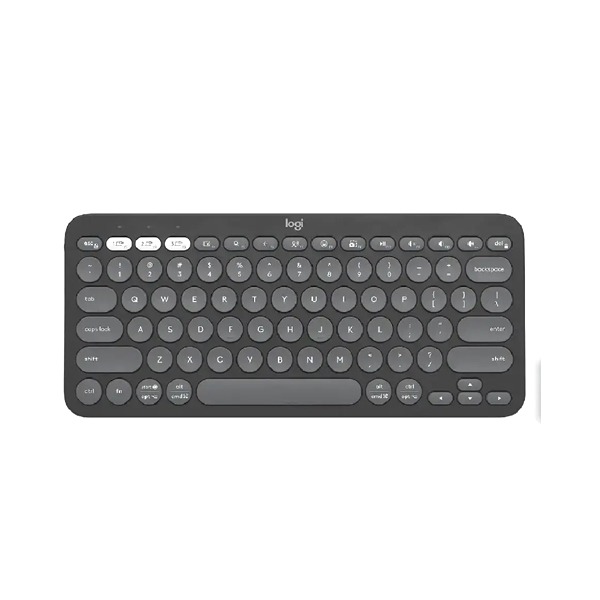
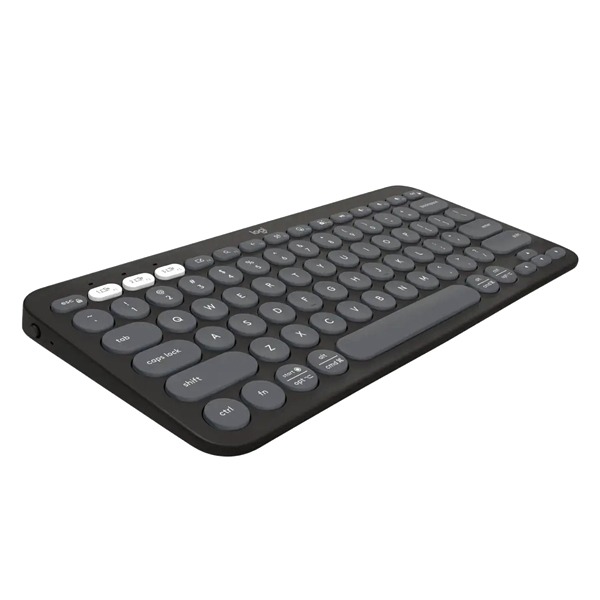
Pebble Keys 2 K380s
- Height: 124 mm
- Pad Width: 279 mm
- Depth: 16 mm
- Weight (with batteries): 415 g
Technical Specifications
Special features
- Slim, lightweight, minimalist design made with recycled plastic 1Pebble Keys 2 K380s plastic content: minimum 49% recycled plastic, excluding plastic in printed wiring assembly (PWA) and packaging
- Multi-device pairing (up to 3 devices)
- Customizable Fn shortcut keys with Logi Options+ 2Available on Windows and macOS at logi.com/optionsplus
- Comfy and quiet laptop-like typing with scooped, low-profile keys
Keyboard special keys
- Show desktop, search, back, voice dictation, emoji menu, screen capture
Customizable keys with Logi Options+ App
- F4-F12 and volume up shortcut keys 3Available on Windows and macOS at logi.com/optionsplus
Customization app
- Supported by Logi Options+ App on Windows and macOS 4Available on Windows and macOS at logi.com/optionsplus
Connectivity
- Connection Type: Bluetooth Low Energy Technology
- Connection type support: Compatible with Logi Bolt USB receiver (not included)
- Wireless range: 10 m 5Wireless range may vary due to environmental and computing conditions.
Battery
- 2 x AAA (Alkaline Battery); On/off power button
- Battery life: 36 months 6Battery life may vary based on user and computing conditions.
- Connect / Power: On/Off Switch
Indicator Lights
- Battery LED and 3 Easy-Switch Bluetooth channels
Warranty Information
2-Year Limited Hardware Warranty
Compatibility
Bluetooth Low Energy
- Internet access required to download optional customization app Logi Options+. 7Available on Windows and macOS at logi.com/optionsplus
Bluetooth
- Required: Bluetooth Low Energy
- Windows® 10, 11 or later 8Customize the device by installing the Logi Options+ App for Windows or macOS at logi.com/optionsplus
- macOS 11 or later 9Customize the device by installing the Logi Options+ App for Windows or macOS at logi.com/optionsplus
- iPadOS 14 or later 10Logi Options+ App is currently not supported. The device’s basic functions will work without it.
- iOS 14 or later 11Logi Options+ App is currently not supported. The device’s basic functions will work without it.
- Android™ 9.0 or later 12Logi Options+ App is currently not supported. The device’s basic functions will work without it.
- ChromeOS™ 13Logi Options+ App is currently not supported. The device’s basic functions will work without it.
- Linux® 14Logi Options+ App is currently not supported. The device’s basic functions will work without it.
- Works With Chromebook™ 15This product works with devices capable of running the latest version of ChromeOS and has been certified to meet Google’s compatibility standards. Google is not responsible for the operation of this product or its compliance with safety specs. Chromebook and the Works With Chromebook badge are trademarks of Google LLC.
Compatible with Logi Bolt USB receiver (not included).
For Universal & macOS Keyboards
- Important: FileVault might be enabled on your macOS laptop, which could prevent you from entering the passcode at start or reboot when trying to connect an external keyboard via Bluetooth. In this case, use the laptop’s keyboard to complete setup or purchase a Logi Bolt USB receiver